Website speed is no longer just a technical advantage—it’s a critical ranking factor and a key part of delivering a great user experience. Faster websites improve visitor engagement, increase conversion rates, and help meet Google’s Core Web Vitals, one of the most important performance signals used in search rankings.
When it comes to WordPress performance optimization, two plugins consistently dominate the conversation: LiteSpeed Cache (LSCache) and WP Rocket. Both are designed to dramatically reduce loading times, improve PageSpeed Insights scores, and boost overall website performance, but they achieve those results using completely different technologies.
WP Rocket has earned its reputation as the go-to premium caching plugin thanks to its simplicity, excellent compatibility, and “install-and-forget” philosophy. LiteSpeed Cache, on the other hand, leverages direct integration with LiteSpeed Web Server to deliver server-level caching and exceptional performance without requiring a paid license.
In this in-depth comparison, we’ll explain how each plugin works, compare their caching technologies, analyze Time to First Byte (TTFB) performance, review their image, CSS, and JavaScript optimization features, and help you decide which solution is the better choice based on your hosting environment in 2026.
Quick Summary
🏆 Best free cache plugin with the highest performance (LiteSpeed servers): LiteSpeed Cache
🚀 Best “install and forget” solution (Apache, Nginx, and managed hosting): WP Rocket
⭐ Recommended hosting to unlock LiteSpeed Cache’s full potential: Hostinger
Which One Should You Choose?
✅ Choose LiteSpeed Cache if your hosting provider uses LiteSpeed Web Server (such as Hostinger).
✅ Choose WP Rocket if your website runs on Apache, Nginx, or if you simply want the easiest caching solution available.
✅ Both plugins can significantly improve your WordPress site’s performance—the best choice depends primarily on your hosting infrastructure.
| Feature | LiteSpeed Cache | WP Rocket |
|---|---|---|
| Cache Type | Server-level caching (LiteSpeed Server API) | Application-level caching (Static HTML) |
| Price | 100% Free | From $59/year |
| Time to First Byte (TTFB) | Extremely fast (<100–150 ms) | Very good (200–350 ms) |
| Image Optimization | Built-in via QUIC.cloud | Requires Imagify or another plugin |
| Object Cache (Redis/Memcached) | Native support | Requires additional configuration |
| Ease of Configuration | Medium to Advanced | Very easy (Plug & Play) |
| Compatibility | LiteSpeed/OpenLiteSpeed servers only | Apache, Nginx, LiteSpeed, and virtually all hosting providers |
Want to Get the Most Out of LiteSpeed Cache?
Not every hosting provider uses LiteSpeed servers. If you’re still looking for a hosting platform optimized for WordPress performance, check out our [Best Web Hosting Services in 2026], where we compare the fastest providers, explain which ones use LiteSpeed technology, and help you find the best balance between speed, features, and price.
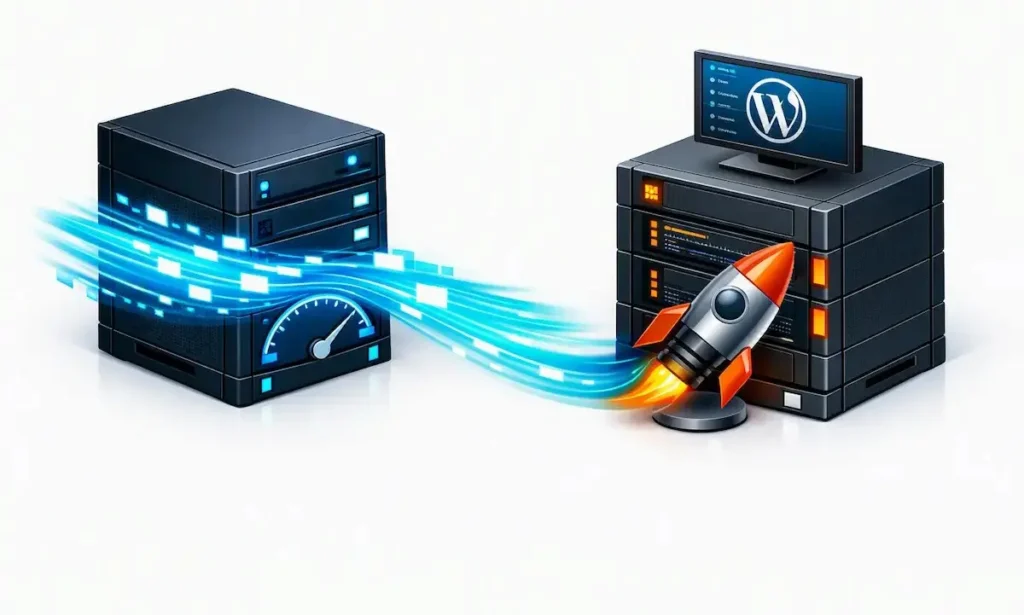
Why Your Hosting Server Completely Changes This Comparison
To understand which plugin delivers better performance, you first need to understand one fundamental difference: they don’t cache your website in the same way.
Although both plugins share the same goal—serving your pages as quickly as possible—they rely on completely different technologies to achieve it. More importantly, the effectiveness of each solution depends largely on the type of web server your hosting provider uses.
Most traditional WordPress performance plugins, including WP Rocket, operate at the application level (PHP). When a visitor requests a page, WordPress executes PHP, queries the database, and generates the content. WP Rocket then stores a static HTML version of that page so future visitors can receive it much faster without repeating the entire process.
This approach dramatically reduces server workload and works exceptionally well on almost every hosting platform. However, requests still have to pass through the PHP layer before the cached page is delivered.
LiteSpeed Cache takes a completely different approach.
When your website runs on LiteSpeed Web Server—as it does with providers like Hostinger—the plugin communicates directly with the web server itself. Instead of waiting for WordPress and PHP to process the request, LiteSpeed serves the cached page immediately from the server, bypassing PHP and database queries altogether.
It may sound like a subtle difference, but the performance impact can be significant.
Technical insight: Thanks to true server-level caching, LiteSpeed Cache can often achieve a Time to First Byte (TTFB) below 100 ms, something that is extremely difficult for PHP-based caching solutions to match consistently.
That advantage, however, disappears if your website is hosted on Apache or Nginx. Without LiteSpeed Web Server, LiteSpeed Cache can no longer use its server-level cache and behaves much more like a traditional WordPress optimization plugin.
For that reason, if your hosting provider doesn’t use LiteSpeed technology, WP Rocket is usually the more consistent, easier-to-configure, and better-performing choice overall.
In-Depth Review: LiteSpeed Cache
LiteSpeed Cache is far more than a traditional WordPress caching plugin. Developed by LiteSpeed Technologies, it has been specifically designed to take full advantage of LiteSpeed Web Server, allowing it to integrate directly with the server and deliver a level of performance that conventional caching plugins simply cannot match.
Because much of the workload is handled at the server level, LiteSpeed Cache reduces resource consumption while significantly improving response times. Beyond page caching, it also includes a comprehensive suite of performance optimization tools that can replace several standalone WordPress plugins.
Key Advantages of LiteSpeed Cache
One of LiteSpeed Cache’s biggest strengths is that it combines virtually every optimization feature a WordPress website needs into a single plugin. Alongside server-level page caching, it offers seamless integration with QUIC.cloud, automatic image optimization with WebP and AVIF support, native Redis and Memcached compatibility, and advanced technologies such as Edge Side Includes (ESI)—particularly valuable for WooCommerce stores and membership websites with logged-in users.
Another major advantage is that all of these features are available completely free of charge. Unlike many performance plugins that lock advanced functionality behind premium plans, LiteSpeed Cache gives users access to its full feature set without requiring a paid subscription, making it one of the best value-for-money optimization solutions available today.
If your website runs on a LiteSpeed server, very few setups can match the performance delivered by combining Hostinger with LiteSpeed Cache, since the plugin can fully leverage the server’s native capabilities without the need for additional licensing fees.
👉 Learn more in our [Hostinger Review 2026: Performance, Pricing & Real-World Tests].
Things to Consider
The same technology that makes LiteSpeed Cache so powerful is also its biggest limitation. Its strongest features depend entirely on LiteSpeed Web Server. If your hosting provider uses Apache or Nginx, LiteSpeed Cache loses its server-level caching capabilities and many of its performance advantages disappear.
It also comes with a much steeper learning curve than most competitors. The dashboard contains dozens of advanced settings, giving experienced users exceptional control over performance but making it easier for beginners to misconfigure their websites. For that reason, any significant optimization changes should ideally be tested on a staging environment before being deployed to a live site.
In-Depth Review: WP Rocket
WP Rocket has earned its reputation as one of the most popular WordPress performance plugins by following a simple philosophy: deliver the biggest performance improvements possible without overwhelming users with technical configuration.
Unlike LiteSpeed Cache, WP Rocket doesn’t rely on a specific server technology to perform well. It has been built to work reliably across virtually every hosting environment, making it a favorite among agencies, freelancers, developers, and website owners looking for a fast, hassle-free optimization solution.
Key Advantages of WP Rocket
WP Rocket’s biggest selling point is its true “install and forget” experience. As soon as the plugin is activated, it automatically enables many of WordPress’s most effective optimization techniques, including page caching, cache preloading, GZIP or Brotli compression (where supported), Google Fonts optimization, and several improvements designed to boost Core Web Vitals.
Its universal compatibility is another major strength. Whether your website is hosted on Apache, Nginx, LiteSpeed, or a managed WordPress platform, WP Rocket delivers consistent performance without requiring server-specific features or complex configuration.
The interface is equally impressive. Every setting is clearly explained, logically organized, and backed by extensive documentation, allowing even non-technical users to achieve substantial speed improvements with minimal effort.
This combination of simplicity, stability, and reliable performance is precisely why WP Rocket continues to be one of the most widely recommended optimization plugins for WordPress users who want better Core Web Vitals without spending hours tweaking advanced settings.
Things to Consider
WP Rocket’s main drawback is its price. Unlike LiteSpeed Cache, it is a premium plugin, with licenses starting at $59 per year for a single website. For some users, especially those running multiple projects, that additional cost may be worth considering.
It also doesn’t include built-in image optimization. To compress images or automatically convert them to WebP, you’ll need to use Imagify—developed by the same company—or install another dedicated image optimization plugin.
Finally, although WP Rocket delivers outstanding performance on virtually any hosting platform, its caching system still operates at the application level (PHP). As a result, when compared directly with LiteSpeed Cache running on a LiteSpeed server, it cannot consistently match the extremely low response times made possible by true server-level caching.
Why Hostinger Is the Perfect Match for LiteSpeed Cache
If your goal is to achieve the best possible WordPress performance without increasing your yearly software costs, Hostinger paired with LiteSpeed Cache is one of the strongest combinations available in 2026.
The reason is simple. Hostinger’s WordPress Hosting and Cloud Hosting plans run on LiteSpeed Enterprise, combined with NVMe storage, HTTP/3 support, Brotli compression, and native Redis compatibility. Because the server itself uses LiteSpeed technology, LiteSpeed Cache can fully leverage its greatest advantage: true server-level caching.
In practice, this means LiteSpeed Cache is ready to deliver outstanding performance almost immediately after installation. Besides lightning-fast page caching, you also gain access to QUIC.cloud image optimization, Object Cache support, Edge Side Includes (ESI), and an infrastructure designed to scale as your website grows.
There’s also a significant financial advantage. While WP Rocket requires an annual license to unlock its full feature set, LiteSpeed Cache is completely free. If you’re using a compatible hosting provider like Hostinger, you can enjoy premium-level performance without paying for additional caching software.
For most blogs, business websites, WooCommerce stores, and small online businesses, this combination offers one of the best balances between performance, ease of use, and overall value.
Want to unlock LiteSpeed Cache’s full potential without paying for an extra caching plugin? Explore Hostinger’s WordPress hosting plans with LiteSpeed Enterprise and NVMe storage.
Head-to-Head Feature Comparison
Ease of Use and User Interface
This is where WP Rocket clearly takes the lead. Its “install and forget” philosophy allows most users to achieve significant performance improvements within minutes, without having to navigate dozens of advanced settings.
LiteSpeed Cache offers far greater flexibility and customization, but that also means spending more time learning what each option does. For experienced users, that level of control is a major advantage. For beginners, however, the interface can feel overwhelming.
Raw Performance and Time to First Byte (TTFB)
When both plugins are tested on a LiteSpeed server, LiteSpeed Cache has a clear performance advantage. Because cached pages are served directly by the web server—before PHP is even executed—response times are consistently lower, resulting in excellent TTFB values.
On Apache or Nginx servers, the situation changes completely. Without access to server-level caching, LiteSpeed Cache loses much of its competitive edge, while WP Rocket continues to deliver consistently strong performance across virtually any hosting environment.
Image Optimization and CDN Integration
LiteSpeed Cache includes built-in image optimization through QUIC.cloud, allowing you to automatically compress images and convert them to modern formats such as WebP and AVIF without installing additional plugins.
WP Rocket doesn’t include image optimization as part of its core plugin. To achieve the same functionality, you’ll need to use Imagify or another dedicated image optimization solution.
How to Configure LiteSpeed Cache on Hostinger for Maximum Performance
If you’re using a LiteSpeed-powered hosting provider such as Hostinger, configuring LiteSpeed Cache correctly can dramatically improve your website’s loading speed and Core Web Vitals. In many cases, a well-optimized configuration is enough to achieve excellent PageSpeed Insights scores without installing any additional optimization plugins.
The first step is choosing an appropriate preset from the LiteSpeed Cache settings. For most WordPress websites, the Advanced preset provides an excellent balance between performance and compatibility, while Aggressive can deliver even faster results if your theme and plugins support it.
Once the basic cache settings are in place, it’s worth connecting the plugin to QUIC.cloud. This enables automatic image optimization, image compression, and conversion to modern formats such as WebP and AVIF, helping reduce page weight without sacrificing visual quality.
CSS and JavaScript optimization should also be enabled. LiteSpeed Cache can minify HTML, CSS, and JavaScript files, while features such as Generate UCSS (Remove Unused CSS) can significantly improve loading performance. After enabling these optimizations, it’s always good practice to test your website in an incognito browser window to make sure everything displays correctly.
If your hosting plan supports Redis Object Cache, enabling it is one of the most effective performance upgrades you can make. Object Cache reduces database queries, speeds up the WordPress dashboard, and noticeably improves performance for WooCommerce stores and dynamic websites.
Which One Should You Choose in 2026?
The right choice ultimately depends on two things: your hosting provider and how much time you want to spend configuring your website.
If your hosting runs on LiteSpeed Enterprise, LiteSpeed Cache is usually the better option. It offers server-level caching, advanced optimization features, and excellent performance without requiring a premium subscription. It’s particularly well suited for WooCommerce stores, high-traffic websites, and users who want to get the most out of their hosting infrastructure.
On the other hand, if your website is hosted on Apache or Nginx, or you simply prefer a plugin that works almost perfectly straight after installation, WP Rocket remains one of the easiest and most reliable optimization plugins available. Its excellent compatibility and plug-and-play approach make it a popular choice for agencies, freelancers, and anyone managing websites across multiple hosting providers.
If you’re still deciding where to host your WordPress website, our Best Web Hosting Services guide compares the leading providers, the technologies they use, and which ones deliver the best performance for WordPress.
Final Verdict
LiteSpeed Cache and WP Rocket are both outstanding WordPress performance plugins, but they aren’t designed for exactly the same environment. The best choice depends primarily on the web server powering your hosting account.
If your hosting provider uses LiteSpeed Enterprise, such as Hostinger, LiteSpeed Cache is arguably the best-performing caching solution available in 2026. Its direct server-level integration delivers exceptionally low Time to First Byte (TTFB) while including advanced features such as image optimization, Object Cache, Edge Side Includes (ESI), and QUIC.cloud integration—all at no additional cost.
If your website runs on Apache or Nginx, or you simply prefer a solution that works with almost no configuration, WP Rocket remains an excellent investment. Its plug-and-play approach, outstanding compatibility, and ability to improve Core Web Vitals make it one of the most reliable premium caching plugins in the WordPress ecosystem.
Ultimately, there isn’t a universal winner. For LiteSpeed-powered hosting, LiteSpeed Cache offers the best combination of performance, features, and value. For every other hosting environment, WP Rocket continues to be one of the easiest and most dependable ways to speed up a WordPress website.
Frequently Asked Questions (FAQ)
Can I use LiteSpeed Cache on hosting that doesn’t run LiteSpeed?
Yes. LiteSpeed Cache can be installed on any WordPress website, but its biggest advantage—server-level caching—is only available on LiteSpeed Web Server. On Apache or Nginx hosting, it behaves like a standard PHP-based optimization plugin, making solutions such as WP Rocket a better choice in most cases.
Can I use LiteSpeed Cache and WP Rocket together?
No. Running two caching plugins at the same time is strongly discouraged. Doing so can create cache conflicts, display issues, duplicated cached files, and even cause parts of your website to stop working correctly.
Is LiteSpeed Cache really free?
Yes. LiteSpeed Cache is completely free and open source. Some cloud-based services, such as QUIC.cloud CDN and advanced CSS generation, use a credit-based system, but the free monthly allowance is sufficient for the vast majority of WordPress websites.
Does a caching plugin improve SEO?
Yes. A properly configured caching plugin reduces loading times, lowers Time to First Byte (TTFB), and helps improve Google’s Core Web Vitals, including Largest Contentful Paint (LCP), Cumulative Layout Shift (CLS), and Interaction to Next Paint (INP). Faster websites generally provide a better user experience and are better positioned to perform well in search results.
Why is Hostinger often recommended for LiteSpeed Cache?
Hostinger builds its WordPress hosting platform on LiteSpeed Enterprise servers. This allows LiteSpeed Cache to communicate directly with the web server instead of relying solely on PHP, resulting in faster page delivery, lower server resource usage, and significantly better overall performance than traditional application-level caching.